See your week
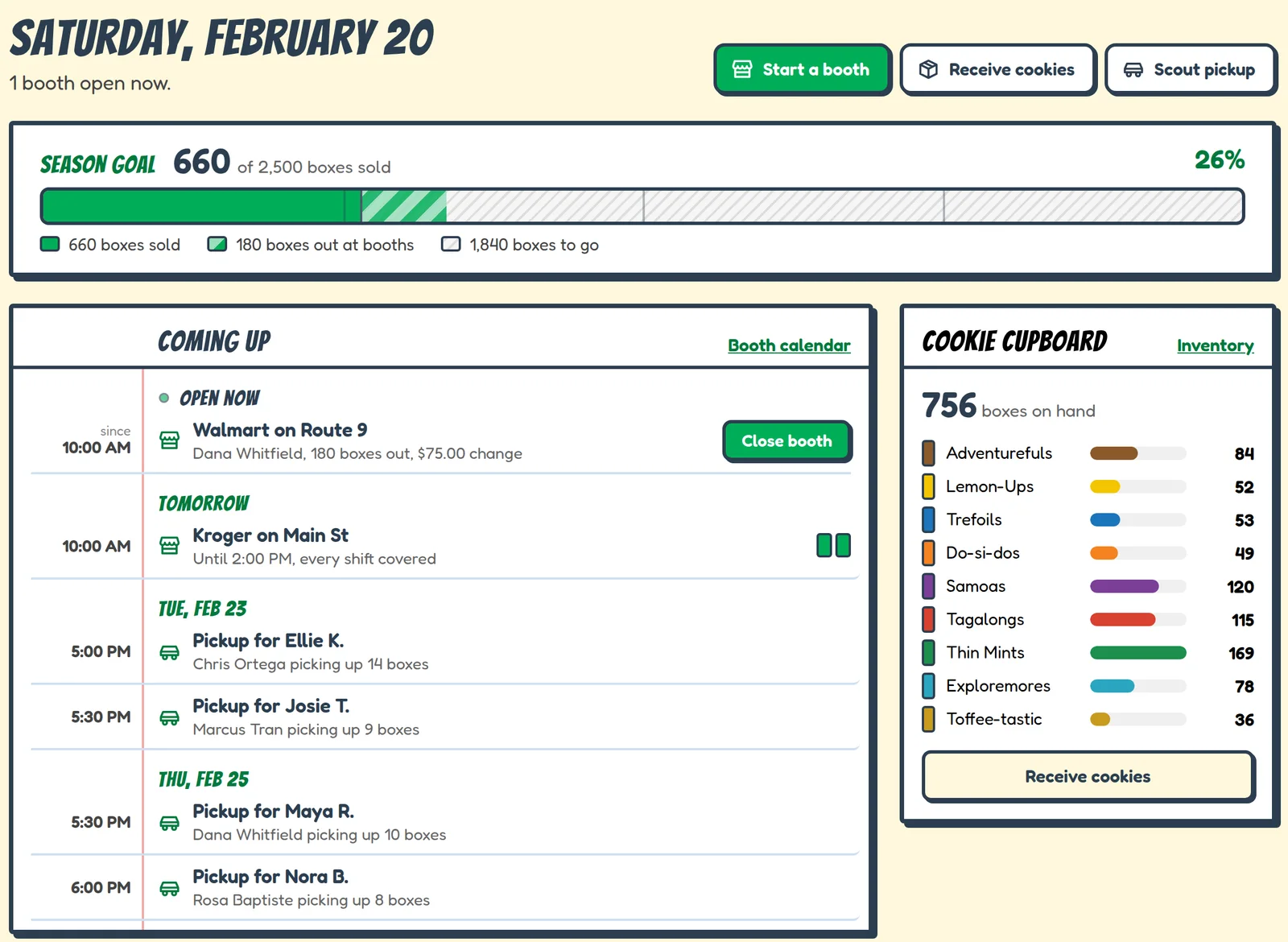
The home screen shows the booths and pickups coming up, how close you are to your season goal, and how much of each cookie is left.
Start a booth, receive cookies or hand out a pickup from the same page.
Know what you have
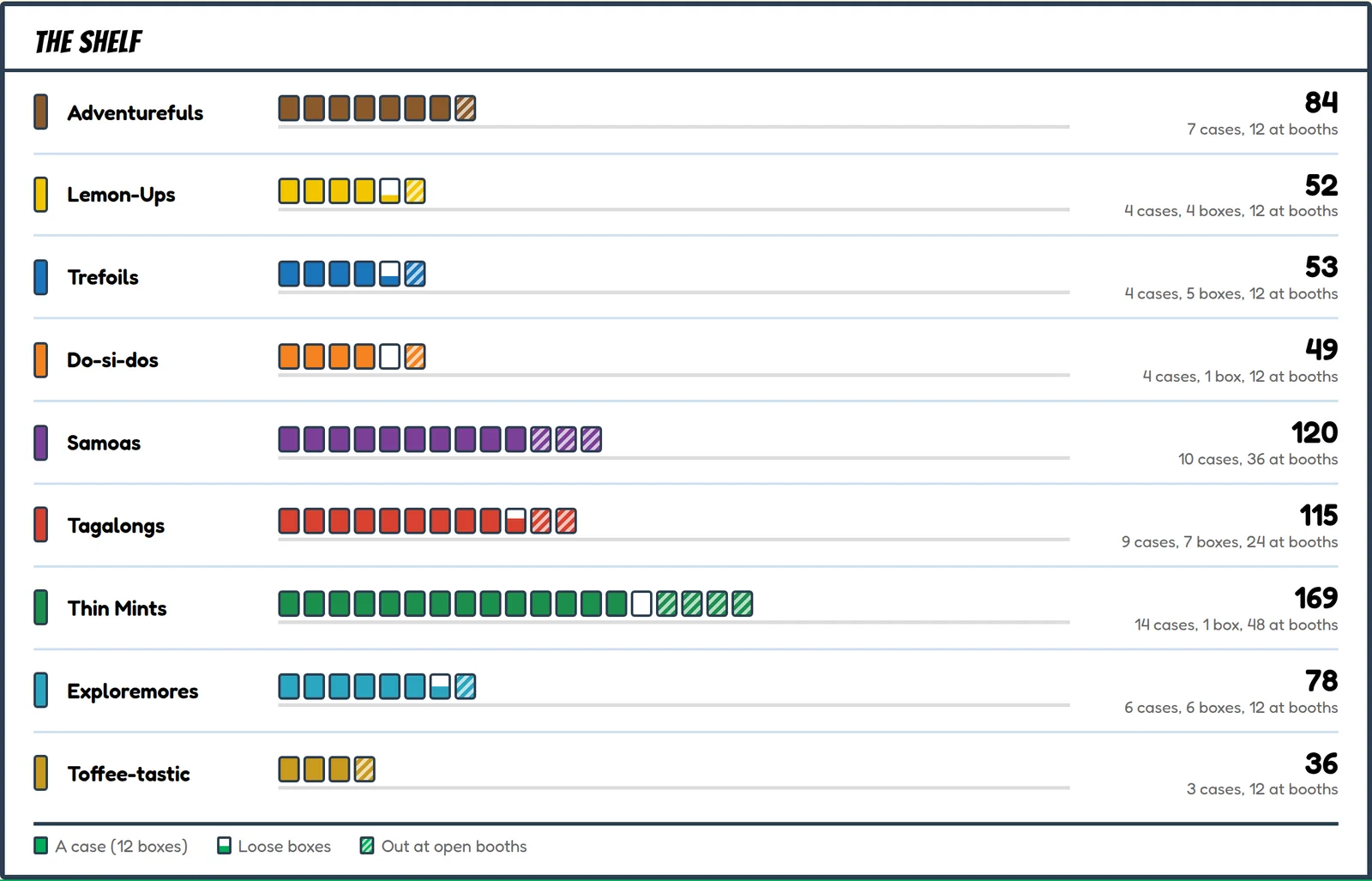
Enter your cases when you pick them up. After that, the count changes on its own when boxes go out to a booth or a family, and when unsold boxes come back.
The striped boxes are out at a booth right now.
Families book their own pickups
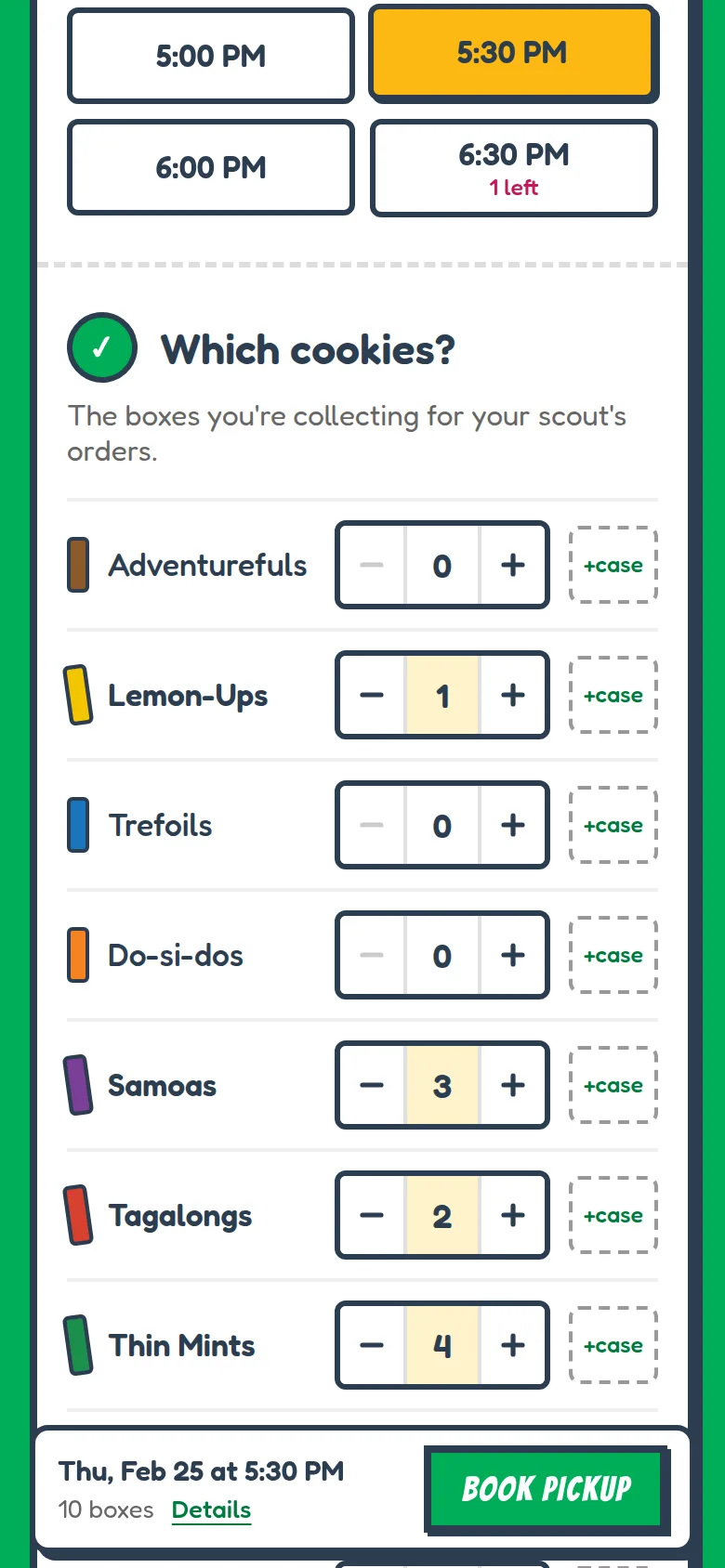
Set the times you're available and how many families can come in each slot, then share one link or a QR code with your troop.
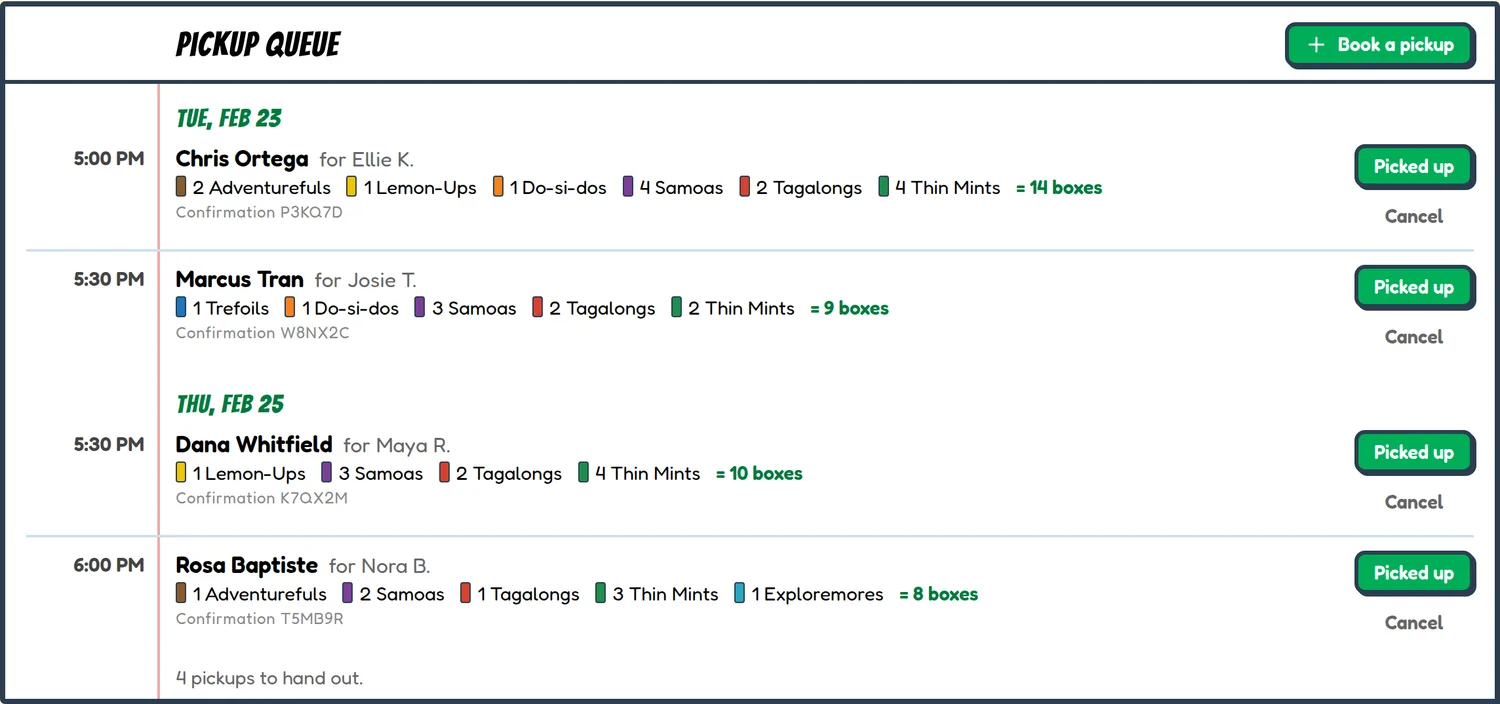
Parents pick a time and their cookies, and get an email they can use to change or cancel. They don't need an account. You get a list of who's coming and what to have ready.
Booth shifts
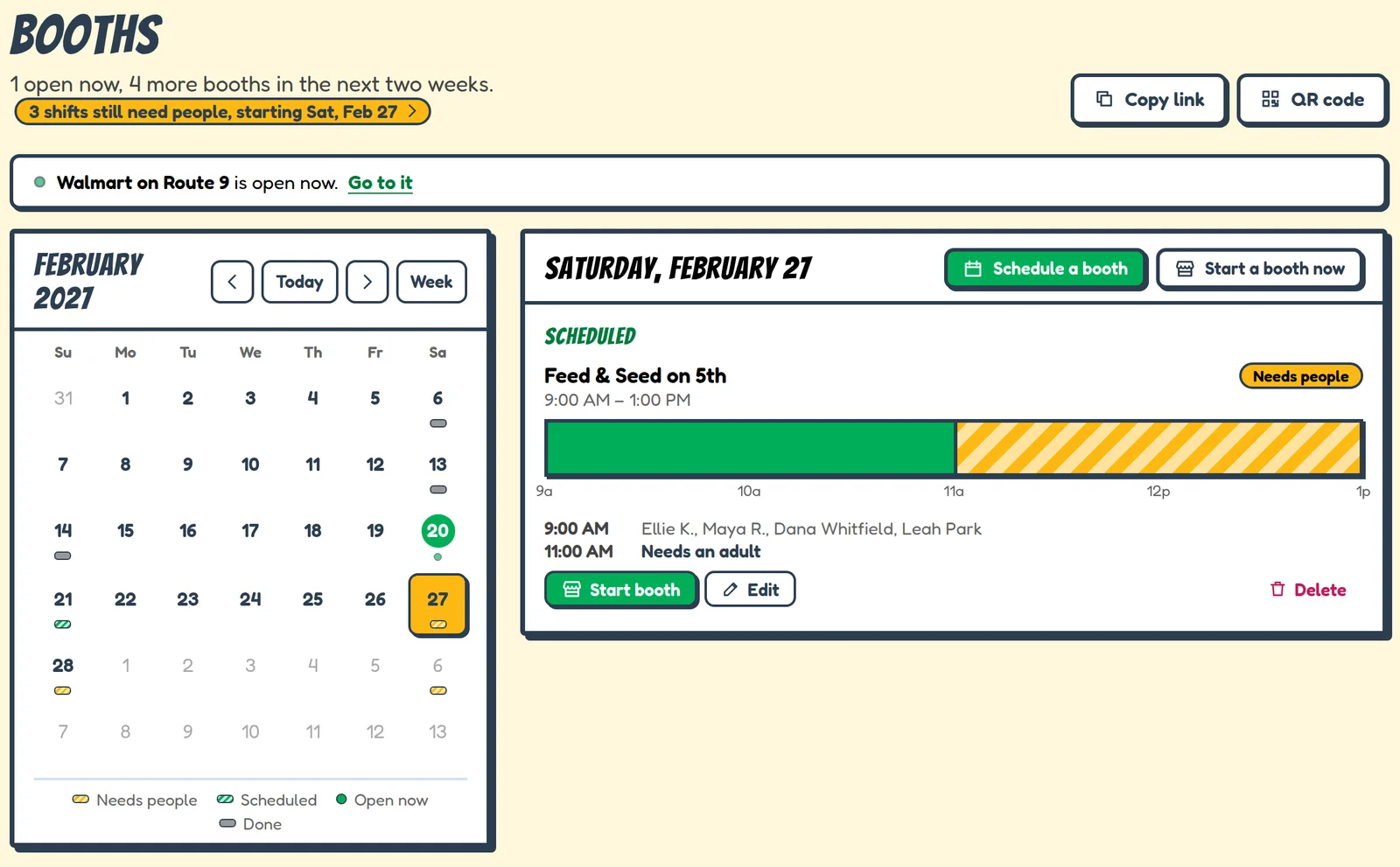
Plan each booth's shifts and see which ones still need a scout or an adult. A solid shift is covered; a striped one is still missing someone.
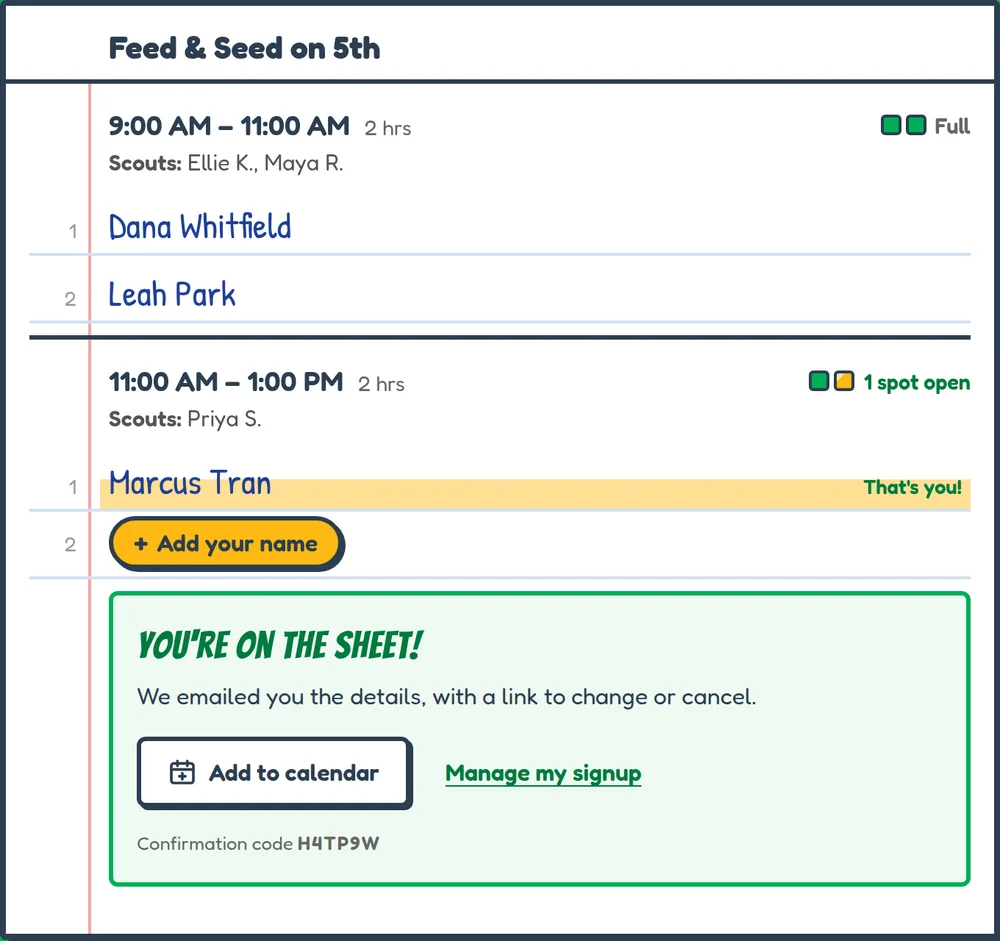
Turn on family sign-ups and parents can put their names on open shifts from a link. They get a confirmation email and can add the shift to their calendar.
Closing out a booth
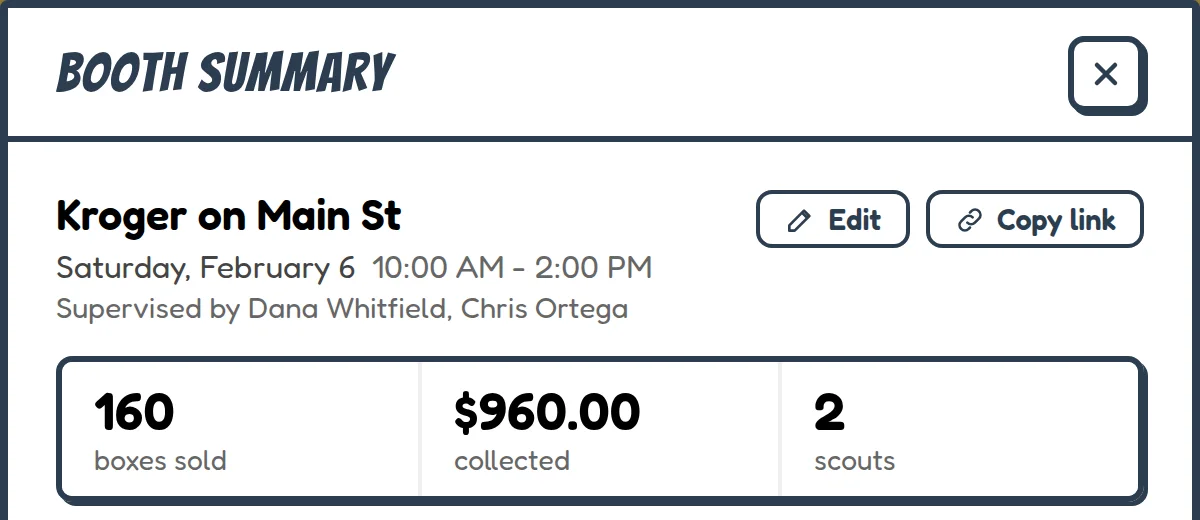
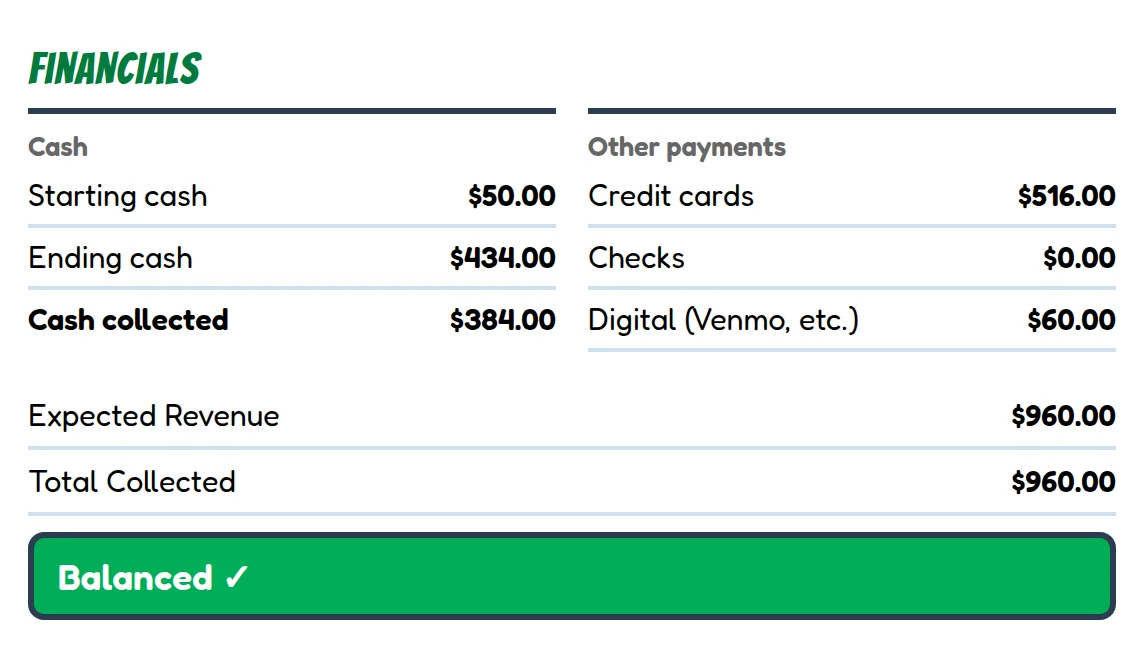
When the booth ends, enter what came back and the money you took in, cash, card and Venmo. Cookie Mom works out what sold and tells you if the money is over or short.
It also splits the sales between the scouts who worked the booth.
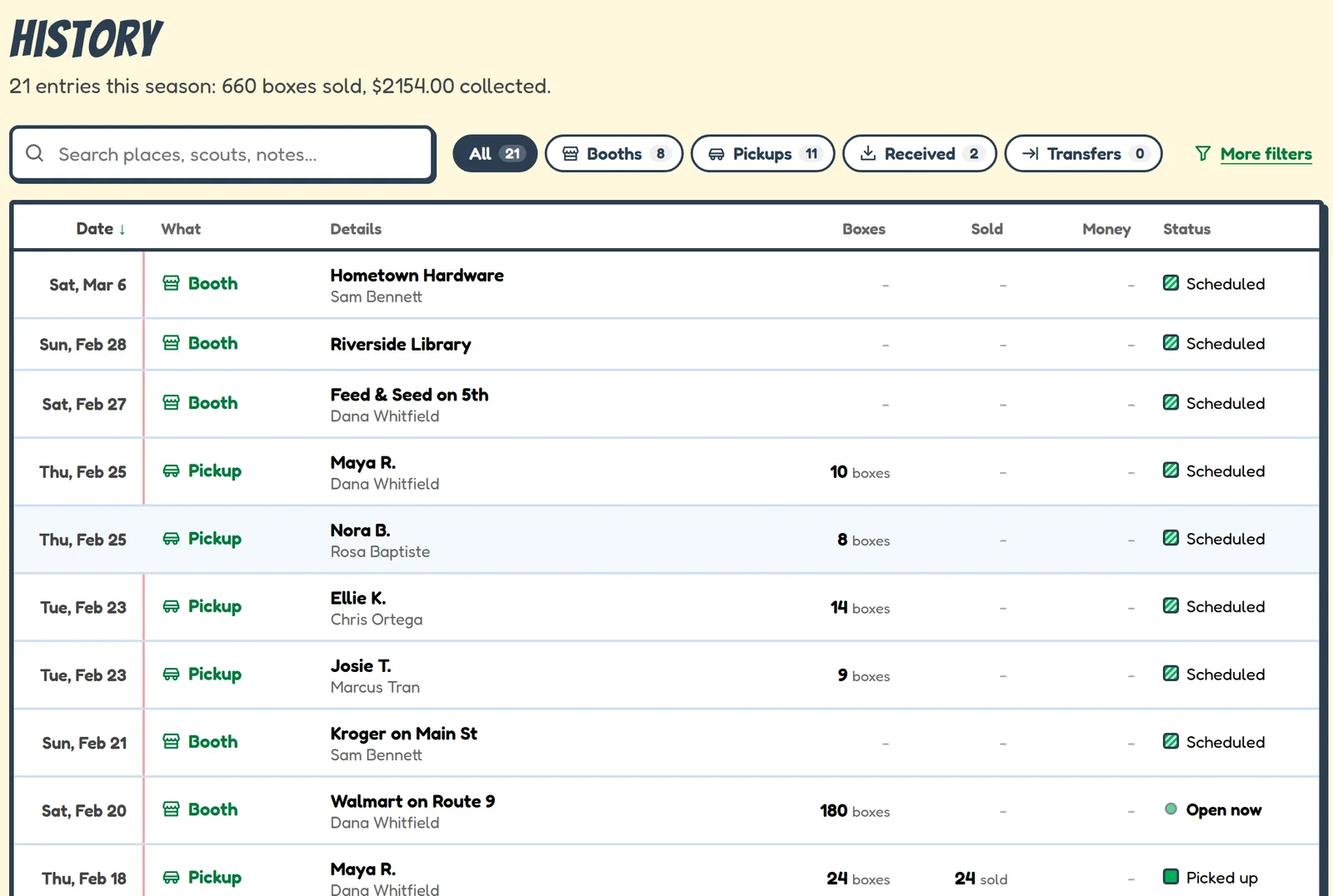
The season's records
History lists every booth, pickup and delivery this season. Search it, filter it, and export it to a spreadsheet or print it when your service unit asks.